The headphones in a desk-setup reel look perfect until you see the price. Searching for ‘something cheaper’ can produce dozens of products that resemble them but solve a different problem. A useful budget alternative starts with the job you need the item to do.
Write down that job, your essential requirements, and your maximum total cost before comparing listings. This guide uses hypothetical examples and a reusable note. It does not recommend particular products or claim that a cheaper item is equivalent to the one in a reel.
Start with the problem the product solves
Finish the sentence ‘I need this for…’ Headphones for calls in a shared room lead to different priorities from headphones for quiet listening at home. A desk lamp for reading leads to different requirements from a decorative light used mainly in a video background.
Separate the function from the appeal of the reel. You might like a product’s color, compact shape, or the way a creator styled it. Those preferences count, but writing them separately helps you decide whether a less expensive option is a useful substitute or simply resembles the original.
Choose a short list of non-negotiables
Limit the must-have list to the requirements that would make a purchase unsuitable if missing. Depending on the item, that could mean dimensions, a connection type, compatibility with a device you own, or the ability to replace a particular part. Verify those details on the exact model listing.
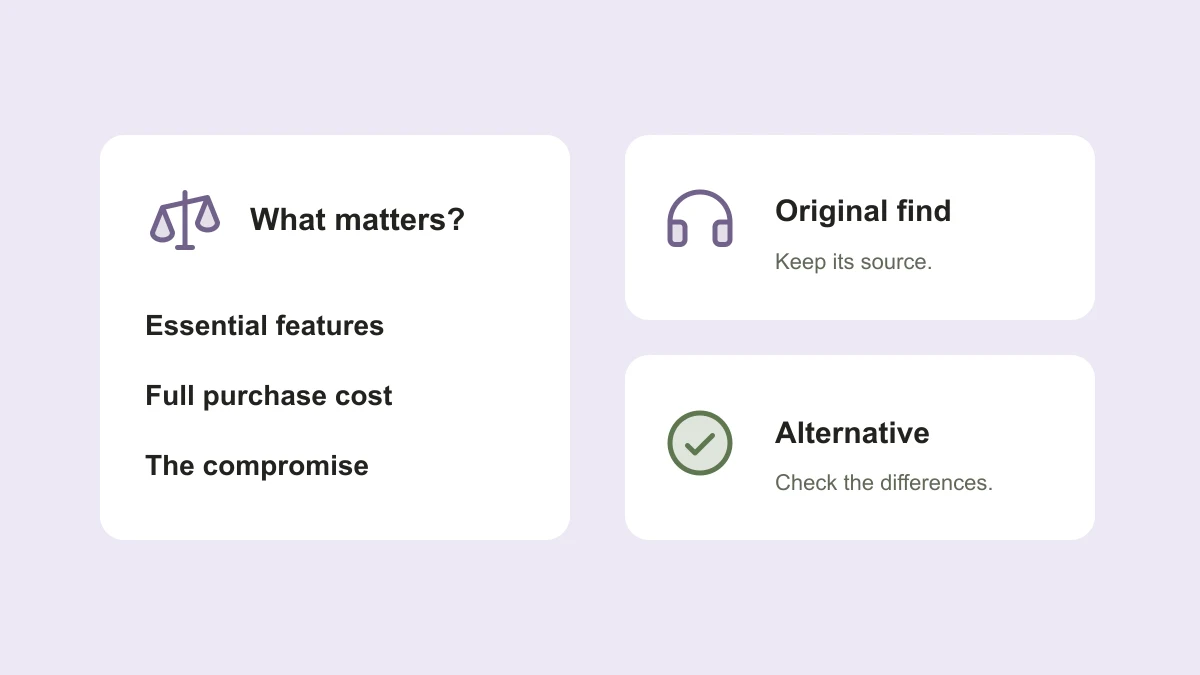
Then add preferences you could compromise on. For example, a hypothetical headphone shopper might require a connection supported by their laptop and a microphone for calls, but be flexible about color or a carrying case. This is a comparison method, not a claim that any specific model meets those requirements.
- Must have: requirements needed for the item to work in your situation.
- Would like: useful extras you can weigh against price.
- Does not matter: features that should not drive this decision.
- Still unknown: details that need a reliable answer before purchase.
Compare exact models and configurations
A product family name is not enough. Record the model, variant, size, included accessories, and condition for each option. A listing for a replacement part or a refurbished item can appear beside a complete new product, and the prices are not directly comparable.
Use the original reel to understand the recommendation, then use the manufacturer and seller information to check specifications and what is included. If the product in the reel cannot be identified confidently, label it ‘unconfirmed.’ Compare candidates for your needs rather than presenting a guess as an exact match.
Compare the full cost and practical terms
Set a total budget that includes required accessories and delivery where applicable. In a hypothetical comparison, an item listed at ₹3,200 with ₹600 of necessary extras costs ₹3,800 before any additional charges. A ₹3,600 option with those extras included may be the less expensive way to meet the same need.
Check who is selling the item, delivery availability, return conditions, and the warranty offered for that purchase. Record the source and date of the information. A low price is not useful if the item cannot be delivered to you or the listing describes a different configuration.
Make the trade-off visible in one note
Shortlist two or three plausible options instead of collecting endless links. Complete the same fields for each. When a field is unknown, leave it marked as unknown; do not count it as a match just because the product photo looks similar.
Before choosing, write one sentence explaining what you gain and what you give up. ‘This fits my space and budget, but loses the adjustable arm’ is a clearer decision than ‘this is the same thing for less.’ Keeping the source reel in the note also preserves the creator’s original recommendation.
Original find: [reel link + creator]
What I need it for: [specific task]
Maximum total cost: [budget]
Must-have features: [short list]
Flexible preferences: [what can change]

Option: [exact model / variant / condition]
Seller + link: [source]
Confirmed must-haves: [verified details]
Still unknown: [questions to check]
Item + required extras + delivery: [total, if confirmed]
Returns / warranty: [terms for this seller]
Checked on: [date]
Trade-off: [what I gain and give up]
Decision: [buy, compare further, or keep the note]
What a TapShift budget swap is intended to do
One planned TapShift workflow is to share a product reel, keep a useful note, and later ask for options within a budget. The aim is to make the comparison easier while keeping the original content and the differences between alternatives visible. Finding an option should not pressure you to buy it.
Budget swaps, product discovery, and affiliate links are still in development. Availability will depend on supported content and merchants, and a suitable match may not exist. Where an eligible affiliate purchase can be attributed, the plan is to share the merchant’s commission between the creator and TapShift.
Published by TapShift, a prelaunch project in India. Examples are illustrative. Planned product features are described as plans, and the practical steps can be used independently of TapShift. Send a correction or question.